

Google is rolling out Android Canary 2609 with a security-focused update to Quick Settings that lets you require an unlock before making changes. The new Android Quick Settings unlock feature adds a layer of protection to prevent unauthorized modifications to critical connectivity settings on your device.
Android Quick Settings Unlock: How It Works
The update introduces a new toggle called “Require unlock for Quick Settings” in Settings > Display & touch > Lock screen. By default, this feature is off, but when you enable it, you’ll need to authenticate—via fingerprint or PIN—before you can adjust Wi-Fi, Bluetooth, Mobile Data, and Airplane Mode from the Quick Settings panel. Google explains the rationale: “To prevent unauthorized changes, you must unlock your device to use Wi-Fi, Bluetooth, Mobile Data, and Airplane Mode.”
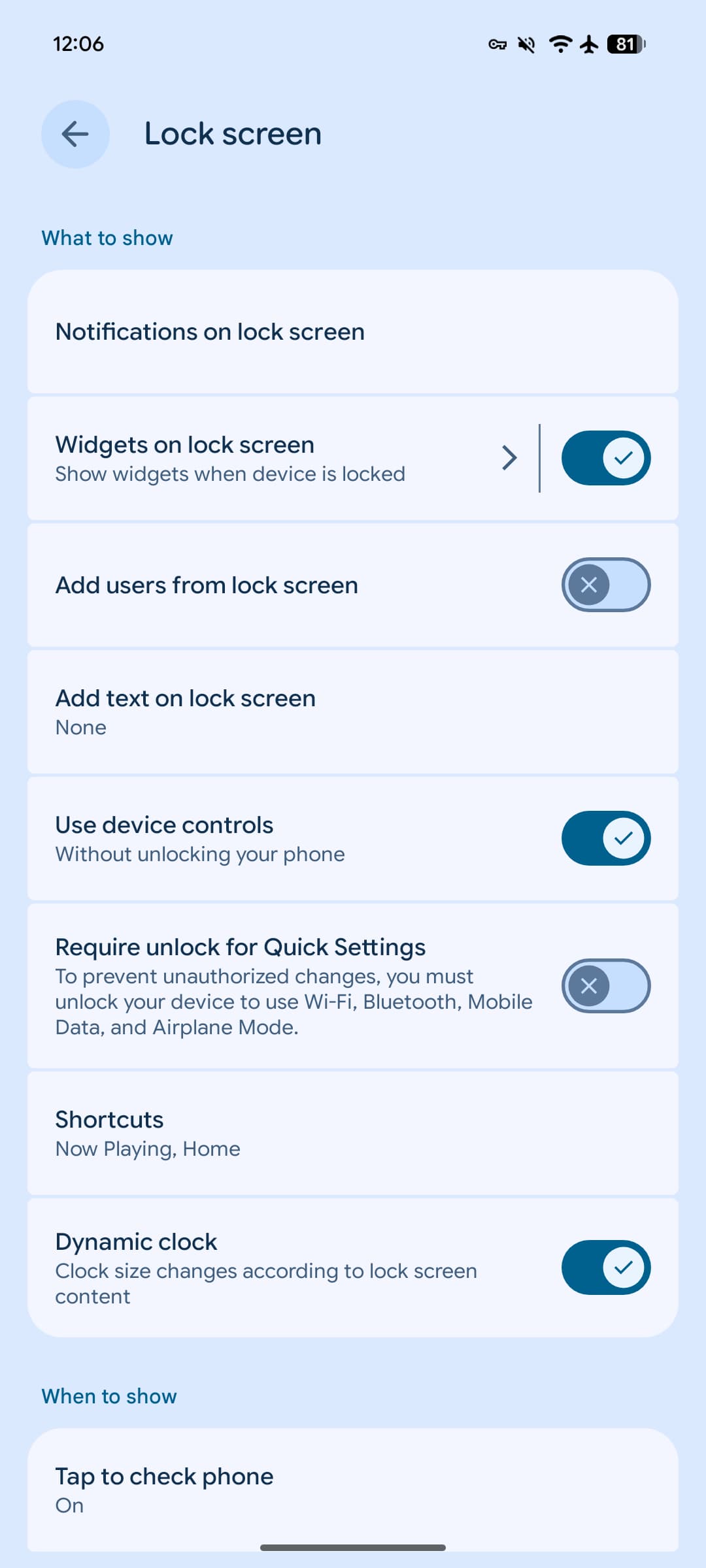
The Android Quick Settings unlock doesn’t apply to every tile. Settings like flashlight, rotation, and dark theme remain accessible without authentication, keeping the feature practical for everyday use. You can still open the Quick Settings panel from the lockscreen itself—you just can’t modify those protected connectivity options until you unlock your device.
Device Support and Availability
Build ZP11.260821.010, which includes the September 2026 security patch, is now available for a broad range of Pixel phones and tablets: the Pixel 10a, Pixel 10, Pixel 10 Pro, Pixel 10 Pro XL, Pixel 10 Pro Fold, Pixel 9a, Pixel 9, Pixel 9 Pro, Pixel 9 Pro XL, Pixel 9 Pro Fold, Pixel 8a, Pixel 8, Pixel 8 Pro, Pixel 7a, Pixel 7 Pro, Pixel 7, Pixel 6a, Pixel Fold, and Pixel Tablet. Support for Pixel 11 devices will arrive with the next Canary release. Google has also dropped support for the Pixel 6 and 6 Pro.
المصدر: 9to5Google